








How To Improve Mobile Signal Strength
Not everyone on a mobile network receives a super-fast phone signal. For many smartphone users, particularly those who live in remote locations, being unable to send texts and make calls at home can be a major frustration.
If you find yourself struggling with your phone signal at home or when out and about, our mobile experts are here with some handy tips and tricks to give it a boost. Consider taking a look at our dedicated 5G handset collection, too, if you’re thinking about changing up your smartphone.
Don’t wave your phone around
Before we get started with our top signal boosting tips, we need to shed some light on a major myth surrounding phone signals. Even to this day, you’ll probably notice people holding their smartphone up in the air, or waving it around in an attempt to strengthen their connection. However, no matter how far you stretch your arm, this will always be a fruitless gesture.
The only way this will work is if you move your phone higher than an actual physical obstruction. For example, materials such as concrete, wire mesh, glass and metal commonly used in buildings can prevent wireless signals from reaching your device. This is why many people suggest moving to an open window, or avoid areas like lifts and basements.
Assess your current location
Does your signal seem to drop in the same place in your home? If you find this is the case, spend some time evaluating your surroundings. As mentioned, many buildings feature materials that can block your connection so you might wish to move to a different area when making an important call.
Electronic devices can have a negative effect on your phone signal, too. Items like microwaves, baby monitors and even your Wi-Fi router can potentially cause disruption.
Try Wi-Fi calling
For those who suffer from weak phone signal at home, opting for Wi-Fi Calling instead can be an excellent solution. Wi-Fi Calling automatically uses your wireless internet connection instead of your network to make and receive calls, without sacrificing audio quality.
Most major networks offer Wi-Fi Calling, but it’s best to double-check. You should find out if your device supports this technology too, and enable the feature in your phone’s settings. Even if you can’t use Wi-Fi Calling, you can make calls and send texts using your Wi-Fi connection with apps such as FaceTime and WhatsApp etc. It might be worth picking up a network signal booster as well, which can help you access Wi-Fi Calling around the home more easily.
Check a phone signal map
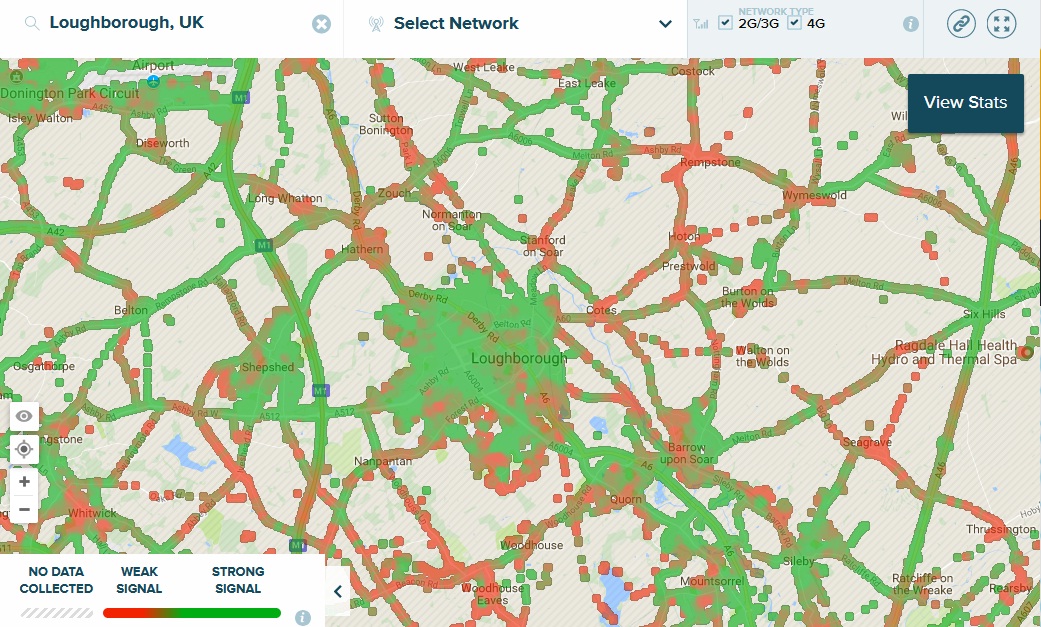
If you’re thinking about purchasing a new smartphone, check OpenSignal’s phone coverage map first. Approved by Which?, you simply have to key in your location, choose your preferred network and select the type of coverage you desire (3G, 4G or 5G).
A detailed map of the UK will then appear with information concerning the signal strength in your area. You can try the OpenSignal map for yourself, covering a variety of networks.
Refresh your signal
Have you tried turning your phone off and on again? We’re being serious; sometimes, phones can get a little bit confused when searching for their nearest cell tower. Refresh your signal by restarting your phone, and see if this helps your device to establish a connection.
You can also try turning Airplane Mode on for 10 seconds and then switching it off; this will force your phone to re-scan for a mobile network connection.
Change your SIM
If you have an older SIM card, it’s worth switching up to a new one. These old SIMs can struggle to connect to newer phone networks as technology advances.
Upgrade your phone
On a similar point, upgrading your handset can also help improve phone signal strength. Newer models come with more advanced signal antennas, which is crucial for maintaining a strong connection to a network. If you’ve had the same phone for more than 5 years, now’s the time to potentially change things up.
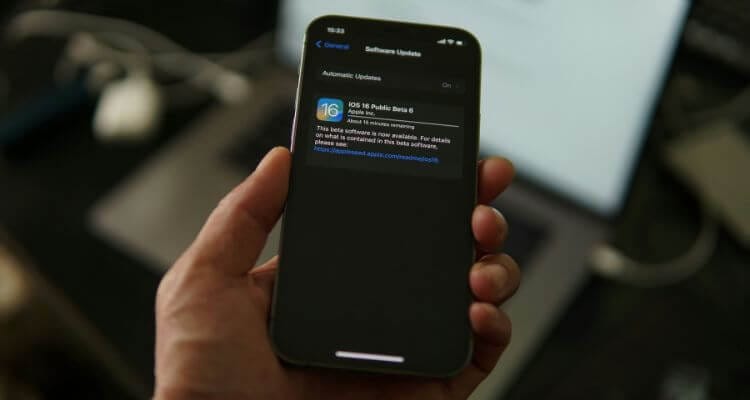
Update your handset’s software
Whether you’re sticking with your current phone or switching to a new one, make sure that its software is fully up-to-date. Updates can help fix bugs and other issues that might be impacting your phone’s signal strength.
Manually switch network modes
Some phones will automatically drop down from 5G to 4G if it’s struggling to connect to a particular network. However, you can typically do this manually, too, by going to your phone’s Network menu in the settings (this will differ depending on the model you have).
Keep your phone charged
When a phone is low on battery life, it can reduce power consumption to specific parts; including the signal antenna. Try charging your phone to give its signal a boost, and consider carrying around a wireless charger while on the go.
Conclusion
There’s no one-size-fits-all solution to boosting your phone’s signal, but these tips can go a long way to improving things. We have a variety of 5G guides you can read to brush up your network knowledge